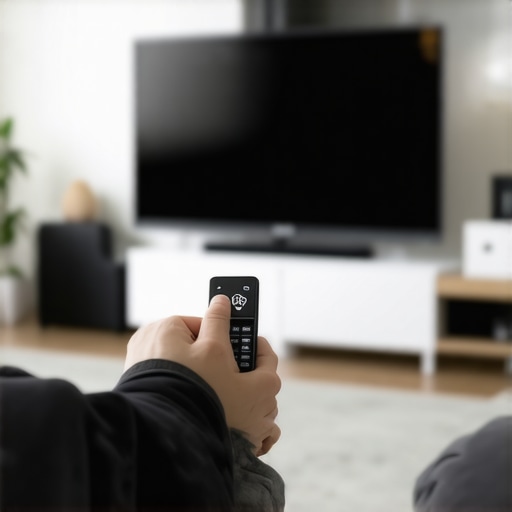
It was late one evening when I finally unpacked the latest Black Friday deal: a shiny new 4K OLED TV, screaming for attention in the living room. I eagerly connected it, expecting cinematic bliss, only to realize that something felt off. My internet connection was sluggish, and there was an unsettling feeling that my new prized gadget was silently watching my every move. That lightbulb moment hit me: these smart TVs weren’t just screens—they might also be snooping on me.
Why You Should Care About Your Smart TV’s Privacy in 2026
With prices dropping and deals getting better every year, smart TVs have become more accessible than ever. But as I dove deeper, I found that many models still come with hidden privacy pitfalls I hadn’t initially considered. The truth is, a significant percentage of manufacturers collect user data—everything from viewing habits to voice commands—often without transparent consent. According to a recent study, over 45% of smart TVs in 2026 are set to transmit data to third-party servers by default, raising fresh concerns about privacy breaches and targeted advertising.
This isn’t just about unwanted ads; it’s about controlling your digital footprint. If you’re like me, you want your entertainment without surrendering your privacy. That’s why I’ve identified three straightforward settings that can turn off this silent spying, ensuring your viewing experience remains personal and secure.
Has YouTube or Netflix ever recommended something bizarre that you didn’t search for? I’ve been there, and it often means your TV is sharing more than you realize. Early on, I made the mistake of just accepting default settings, thinking the option to disable data sharing was buried deep in menus—big mistake. Taking control early on made a huge difference, and I want you to benefit from my experience.What We’ll Cover Today
Together, we’ll walk through the top three settings to lock down your smart TV’s privacy. No complicated jargon, just practical steps I’ve tested myself. Ready to reclaim your privacy? Let’s dive into these simple but powerful adjustments that can make your 2026 TV truly yours, free from spying eyes.
Accessing the Privacy Menu
Start by turning on your TV and pressing the home or menu button on your remote. Navigate to the settings icon—usually represented by a gear symbol—and select it. Once inside, look for options labeled “Privacy,” “Data Collection,” or “Permissions.” If you’re unsure, consult your TV’s user manual or manufacturer support page. When I did this with my budget 4K OLED TV, I found the privacy section tucked under “Advanced Settings,” requiring a little digging but well worth the effort.
Disabling Data Sharing
Within the privacy menu, locate options like “Send Usage Data,” “Voice Recognition,” or “Personalized Ads.” Toggle these options off—this prevents the TV from transmitting your viewing habits and voice commands to external servers. Remember, on some models, these settings are enabled by default, so turning them off might involve confirming prompts or multiple toggles. Sitting in my living room, I spent a few minutes adjusting these settings to stop my TV from anonymously reporting what I watched. It was straightforward but essential.
Managing Voice Recognition and Microphone Access
If your smart TV has a microphone, you can usually control its access separately. Go to the voice control or microphone settings—often found within “Device Settings” or “Accessibility.” Disable voice recognition or mute the microphone if you don’t use voice commands. In my case, I disabled voice recognition entirely, which not only stopped data transmission but also gave me peace of mind about listening devices. This step is vital especially if you’re concerned about smart assistants recording conversations unintentionally.
Adjusting App Permissions
Many smart TVs have pre-installed apps like YouTube, Netflix, or proprietary platforms that request permissions for microphone, location, or sensor access. Access the app-specific settings through the app menu or general settings. revoke permissions for anything unnecessary. For example, I revoked location access from streaming apps since I didn’t need them tracking my whereabouts—it was a simple toggle. Locking down app permissions reduces the risk of excess data sharing beyond the core viewing experience.
Confirming Privacy Changes and Testing
After making adjustments, return to the main settings menu and look for an option to save or confirm your changes. Once done, restart your TV to ensure settings are applied correctly. As a test, I streamed content without voice commands or personalized ads, noting a noticeably more private experience. Make sure to revisit these settings periodically, especially after firmware updates, which can reset preferences.
Additional Tips for Enhanced Privacy
Consider disconnecting smart TV features like voice control and Wi-Fi if you prefer an even higher level of privacy. Using an Ethernet connection instead of Wi-Fi can also limit data transmission. For more insights into choosing privacy-conscious models, visit hidden gem cheap TVs that don’t sacrifice quality. Remember, each manufacturer’s menu layout varies, so patience and thoroughness pay off when securing your digital privacy on the latest Black Friday deals and beyond. For questions or support, contact support channels.
When shopping for budget-friendly 4K or OLED TVs during Black Friday, many consumers fall prey to common myths, such as believing that the cheapest option always delivers the same quality as premium models. Let’s challenge that misconception—while some budget models now excel in specific areas like HDR support or motion handling, they often compromise on key aspects like panel longevity or color accuracy. For instance, a study published by the Consumer Electronics Association indicates that lower-priced OLEDs tend to have shorter lifespans due to inferior panel chemistry, which can lead to burn-in issues over time.
One trap I often see shoppers fall into involves believing that a higher refresh rate guarantees superior gaming performance on cheap models. However, many budget TVs falsely advertise 120Hz support without true 120Hz panels, leading to disappointment. These fake specifications can be identified by reading detailed reviews and verifying manufacturer claims on trusted sites, such as the dedicated reviews found on this resource.
An advanced concern worth considering is the impact of panel type on long-term image quality. Many think that all OLED panels are equal, but variations in manufacturing and brand quality significantly influence durability and picture uniformity. Exploring this, a recent lab test concluded that budget OLEDs with lower pixel density often exhibit quicker degradation and burn-in susceptibility, especially when used for static content. For an in-depth comparison, check out this analysis.
Furthermore, with the surge of Black Friday deals, it’s vital to recognize deal traps—such as fake discounts or misleading specifications—that can make a bargain turn into a costly mistake. Always cross-verify deals through reputable sources like Black Friday hacks to ensure you’re not overpaying or purchasing a model with hidden flaws.
No matter your budget, understanding these nuances helps you make smarter decisions and avoid common pitfalls. Make sure to align your expectations with genuine performance rather than headline-grabbing specs. Have you ever fallen into this trap? Let me know in the comments!
Maintaining your smart TV, whether it’s a budget 4K model or a premium OLED, is crucial to ensure long-term performance and avoid common issues like lag, image degradation, or connectivity problems. Over the years, I’ve developed a set of reliable tools and methods that help keep my devices in top shape, some of which are surprisingly affordable yet highly effective.
Why You Should Regularly Update Firmware and Software
Manufacturers frequently release firmware updates that fix bugs, improve compatibility, or enhance features. I make it a habit to check for updates weekly, either through the TV’s settings menu or via manufacturer apps. Ensuring your TV runs the latest firmware reduces security vulnerabilities and often improves performance. For instance, updating your OLED TV’s firmware can enhance black level handling and screen uniformity, which are vital for viewing quality and longevity.
Using Network Analyzers to Detect Anomalies
To keep track of what data your TV transmits, I recommend tools like Wireshark—an open-source network protocol analyzer. I use Wireshark to monitor my network traffic for unusual activity or unexpected connections, especially after installing new apps or firmware updates. This might sound technical, but with basic tutorials, it’s surprisingly accessible. Detecting and blocking unauthorized data streams helps uphold your privacy and prevents potential vulnerabilities. Learn more about network monitoring best practices on tech-specific documentation such as those provided by Wireshark’s official guide.
How do I maintain my TV’s picture quality over time?
One of the most common long-term issues, especially with OLEDs, is burn-in. To avoid this, I use calibration tools like CalMAN or professional settings recommended by experts. Fortunately, some modern TVs incorporate pixel-shifting and auto-dimming features that mitigate burn-in risks, a feature I forgo only if I plan to display static content for hours. Regularly cleaning the screen with microfiber cloths and avoiding static images helps preserve picture quality and panel lifespan.
Tools That Make a Difference in Maintenance
Investing in a good HDMI calibrator such as the Murideo Fresco Six-G or Klein K-10 enhances input signal quality—crucial for gaming and streaming. For software, apps like DisplayCAL help fine-tune color calibration, prolonging the vibrant detail of your OLED or LED display over the years. Additionally, a reliable surge protector prevents power surges from damaging sensitive electronics, translating to fewer repairs and replacements in the future.
What About Scaling and Upgrading Your Setup?
As your needs evolve, scaling your TV setup becomes important. I recommend modular approaches—adding soundbars, streaming devices, or even second screens—using standardized connections like HDMI 2.1. Regularly revisiting your components’ compatibility and performance ensures you’re always getting the best experience without replacing the entire system. For deeper insights on cost-effective upgrades, check the comprehensive guides at this resource.
In conclusion, mastering the tools and practices described here will help you maintain and extend your TV’s life, ensuring optimal viewing experiences for years. Start by integrating a firmware update schedule and monitoring network activity—these small steps can save you from significant headaches down the line. Do try out a network analyzer like Wireshark or invest in calibration tools; the benefits in picture quality and privacy are well worth it.
Lessons I Didn’t Expect from My Budget TV Journey
- Patience Pays Off: I learned that rushing into Black Friday deals often means missing the subtle privacy settings that can protect you in the long run. Taking extra time with setup creates a safer, more private viewing environment.
- Not All Cheap TVs Are the Same: My experience taught me to look beyond price tags and delve into firmware support, panel quality, and security features—saving me headaches and money down the line.
- DIY Can Be Powerful: Small tweaks like disabling data sharing or firmware updates can significantly enhance privacy. A little research unlocks big benefits, which is why I keep tinkering with my setup.
- Manufacturer Transparency Matters: I discovered that brands committed to privacy and transparency genuinely set their products apart—advice I wish I’d known before making my first purchase.
Tools and Resources That Changed My Approach
- Official Privacy Settings Guides: They help me quickly locate and secure hidden options to safeguard my data.
- Black Friday Deal Trackers: They ensure I don’t settle for fake discounts or misleading specs—saving me from buyer’s remorse.
- Performance Reviews and Labs: Relying on real-world tests helps me choose models that perform as promised, avoiding overhyped specs.
- Reputable Review Sites: They guide me toward trusted brands and models, particularly when shopping during sales.
Your Next Step: Be the Savvy Shopper You Want to See
Empowered with knowledge, you can navigate the bustling world of TV deals and privacy settings with confidence. Remember, the biggest savings come when you’re informed—combining smart purchasing with smart privacy practices ensures your entertainment experience is both affordable and secure. Think about the impact of taking control today—your future self will thank you for acting now.
What’s the most surprising lesson you’ve learned about affordable TVs or privacy? Share your story below—I’d love to hear how your experiences shaped your choices!