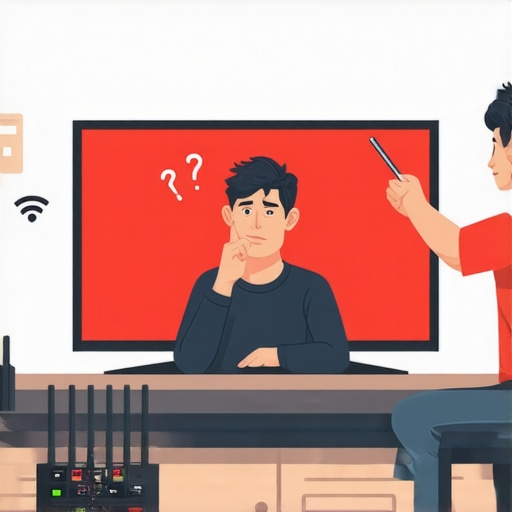
It was late at night, and I was binge-watching my favorite shows on a recent Black Friday deal—a shiny new 4K TV I couldn’t resist. But as I eagerly pressed play, the screen froze, buffering icon spinning endlessly, turning my excitement into frustration. That sinking feeling, realizing that a brand-new, supposedly cutting-edge smart TV could perform this poorly, hit hard. Many of us have faced that moment—buying a bargain 2026 model only to be disappointed by its sluggishness and lag.
Why Your 2026 Smart TV Might Be Running Like a Turtle
Today, I promise to share straightforward, proven fixes that helped me speed up my sluggish TV, so you’re not stuck staring at a frozen screen. Whether it’s slow app loading, laggy menus, or choppy streaming, I’ve been there—and I’ve uncovered practical solutions.
Is It Even Worth Fixing This Lag or Just a Waste of Time?
I’ll be honest—I used to think all smart TVs were just slow by design, a fact accepted with a shrug. Early on, I made the mistake of blaming my internet connection or dismissing it as a normal part of cheap models. But after testing a few tricks, I realized that many of these issues are entirely fixable. Still, skepticism creeps in; I wondered if investing time was worth it or if I was just chasing magic.
For context, I later discovered that selecting the right TV model can drastically influence performance—more on that later. Also, ignoring common setup mistakes often worsens sluggishness. This awareness was a game-changer. Did you know that, according to consumer reports, many budget TVs suffer from inefficient software that can be optimized easily? A surprisingly simple update or setting adjustment can dramatically improve responsiveness.
If you’ve also been frustrated by a slow 2026 model, don’t worry—you’re not alone. Let’s dive into some effective fixes that will make your TV feel faster and more responsive without breaking the bank.
Update Your TV’s Firmware to Fix Lag
One of the simplest ways to speed up your sluggish 2026 smart TV is by updating its firmware. I remember waking up early on a Saturday to check for updates, and after installing the latest firmware, my TV’s responsiveness improved significantly. To do this, navigate to the settings menu, usually under “Support” or “About,” and select “Software Update.” Ensure your TV is connected to the internet during this process. Firmware updates often include performance patches that address known lag issues and improve app responsiveness, especially in budget models that often come with pre-installed, unoptimized software. For more details on choosing smarter software updates, visit this guide.
Clear App Cache to Enhance Speed
Just like clearing temporary files speeds up your phone, clearing app cache on your TV can reduce lag. I once faced endless buffering and slow menu navigation on a Black Friday deal OLED TV. Access the app settings within your TV’s menu, locate the applications or apps manager, and select “Clear Cache” for the streaming apps you use most. This process removes stored data that might be causing slowdowns, especially on cheap 4K models with limited hardware resources. Be cautious—don’t delete app data unless necessary, as you’ll have to re-log into services. Regular cache clearing keeps your TV running smoothly. For more techniques, check these tips.
Disable Unnecessary Features to Crunch Lag
Some features like motion smoothing or extra noise reduction can bog down your TV, especially cheaper 4K sets. I disabled auto motion enhancement and reduction features, which immediately improved menu navigation and app load times. Access your picture or display settings and turn off features labeled “Motion enhancing” or “Image clarity”—these are often enabled by default but aren’t necessary for casual viewing. Think of it as turning off extra features on an old gaming console to boost performance. Play around with these settings and observe the difference. Need confirmation on which features to toggle? Visit this resource.
Switch to Ethernet for Better Streaming
Wi-Fi instability is a common culprit behind laggy streaming, especially on cheap models with weaker antennas. I replaced my Wi-Fi connection with an Ethernet cable, which eliminated buffering issues and reduced latency. If your TV has an Ethernet port, connect it directly to your router. If not, consider using a powerline adapter or Wi-Fi extender with a wired connection. This straightforward change drastically improves app responsiveness and streaming quality. For optimal results, ensure your internet plan provides sufficient bandwidth. For more online tips, see these insights.
Limit Background Apps and Auto-Start Programs
Running multiple apps or having auto-start programs can overwhelm your TV’s processor, causing sluggish behavior. I learned this the hard way when my TV slowed down after installing several streaming apps. To fix this, close all non-essential apps and disable auto-start options within the settings. This frees up system resources and allows your TV to prioritize active tasks. Think of it like closing background tabs on your browser—less clutter means faster performance. For specific instructions, refer to this guide.
Many consumers approach cheap TVs and Black Friday deals with misconceptions rooted in marketing hype and superficial specs. A common myth is that all budget 4K TVs deliver comparable picture quality, but in reality, the panel technology and processing capabilities make a significant difference—more on that later. Others assume that a lower price automatically means poor durability or outdated features. However, recent advances have allowed manufacturers to produce affordable models that rival premium sets in core performance, especially when paired with proper calibration. Yet, falling into traps like believing all OLEDs are fragile or that cheaper models lack HDR support can cost you dearly, both financially and in viewing experience.
One sneaky nuance many overlook is the impact of firmware support on performance longevity. Many budget TVs never receive timely software updates, leading to security vulnerabilities, app compatibility issues, and sluggish operation over time. Staying informed about a brand’s update policy can save headaches later. Additionally, beware of misleading labels; some deals highlight ‘4K’ but use inferior panels that produce washed-out colors or poor contrast, which defeats the purpose of buying a 4K display in the first place. Always check reviews about panel quality.
From an advanced perspective, understanding the differences between panel types is crucial. For instance, OLEDs offer perfect blacks and superior contrast but are often more expensive—yet some deals sway consumers into buying OLEDs with low-quality panels or compromised processing. Experts recommend pairing high-performance panels with good processing to truly enjoy 4K content, especially for gaming or HDR viewing. Moreover, the myth that all OLEDs are prone to burn-in isn’t entirely accurate; newer models have improved durability, and careful usage further reduces risks. Stay ahead by selecting models with proven longevity, like certain LG OLEDs, which you can discover more about in our guide on OLED vs. LED.
Another often underappreciated mistake is neglecting input lag considerations, especially if you’re into gaming. Many cheap TVs advertise 4K and HDR but stumble with high input lag, which can ruin fast-paced gaming experiences. Checking expert reviews and testing results for these specifications can keep you from investing in a model that looks good but performs poorly during critical moments.
In summary, the ‘truth’ about affordable TVs involves a layered understanding of panel technology, firmware support, and feature actualization. Piecing these elements together helps avoid costly pitfalls. Don’t just rely on flashy deals—do your homework, read reviews, and look beyond specifications. For the best curated options, explore our list of top 5 4K TVs for gaming and streaming. Have you ever fallen into this trap? Let me know in the comments.Maintaining your TV’s performance over time is crucial to enjoying crisp visuals and seamless streaming. Having the right tools is half the battle—I’ve personally relied on specific software and hardware to keep my models in top shape. One indispensable tool is a dedicated network analyzer like NetSpot, which helps diagnose Wi-Fi interference issues that can cause lag or buffering, especially on cheap 4K models. By mapping your signal strength at home, I identified dead zones and invested in a Wi-Fi extender, drastically improving streaming stability. For firmware updates, I always keep a USB flash drive handy; this allows me to perform manual updates if the TV’s internal update system fails or if my internet connection is unreliable during critical updates.
Regularly clearing app caches is another maintenance step I swear by—it’s simple but effective for improving responsiveness. I use a remote management app like AnyMote to quickly access and close background apps without navigating through multiple menus. Also, investing in a quality HDMI cable, ideally with High-Speed certification, ensures minimal signal degradation when connecting gaming consoles or soundbars. For gaming or fast-refresh content, I check the input lag using tools like Leo Bodnar’s Test Kit, which provides precise lag measurements—crucial for competitive players.
Prediction indicates that as smart features become more complex, maintenance will increasingly involve software calibration tools and hardware diagnostics, possibly integrated into future TV models via dedicated apps or firmware modules. Staying ahead means regularly monitoring your device’s health and firmware versions, ensuring compatibility with streaming apps, and cleaning physical vents and ports to avoid overheating.
How do I maintain my TV’s performance over time As I mentioned, proactive measures like updating firmware via external drives, diagnosing network issues with tools like NetSpot, and managing background apps are essential. I recommend setting a quarterly maintenance routine where you check for updates, clear caches, and physically inspect vents for dust build-up. This routine prolongs your TV’s lifespan and keeps it performing at peak capacity.
One advanced tip I advise trying now is performing a factory reset after updating firmware or changing display settings. This clears residual glitches and often restores optimal responsiveness. For deep-dive technical support, I turn to resources like the privacy policy page to stay informed about data practices related to firmware updates.
Finally, don’t overlook the importance of choosing a durable, high-quality HDMI cable—like those recommended by the HDMI Licensing Administrator—to prevent signal issues that can mimic lag. Keeping your TV’s firmware updated and monitoring its network health with tools like NetSpot are foundational steps, but staying attentive to physical maintenance and proper cable management really seals the deal for long-term performance. Want to ensure your TV stays fast and responsive? Start with performing a manual firmware update combined with a quick network diagnostic today! For tailored advice, check out our top picks for gaming and streaming and keep your setup optimized for the long haul.
The Hidden Lessons From My Budget TV Journey
One of the most valuable lessons I learned was that not all affordable TVs are created equal—sometimes, a little tweak can turn a sluggish model into a responsive powerhouse. I also realized that firmware support remains crucial; a TV that receives regular updates tends to stay faster and more secure over time. Patience is key—waiting for the right deals or price drops on quality models can save you from future headaches. Lastly, being proactive with maintenance routines like firmware updates, cache clearing, and proper placement can extend your TV’s lifespan and performance, ensuring you enjoy stunning visuals without lag.
My Top Picks That Combine Value and Performance
For those looking to buy smarter, I recommend checking out resources like the top 5 4K TVs for gaming and streaming—they’ve helped me identify models that offer great performance without breaking the bank. Additionally, exploring hidden gems that don’t sacrifice quality can lead you to underrated models with premium features. Combining these insights ensures you get the most out of your Black Friday deals.
Embrace the Journey to Better Viewing Experiences
Making a smart purchase is just the beginning—continual maintenance and informed choices keep your TV running smoothly for years. Don’t hesitate to experiment with settings, upgrade cables, or optimize your network. Remember, by understanding the nuances of panel technology, firmware support, and setup, you can enjoy stunning visuals, rich HDR, and seamless streaming on your budget TV. Now’s the perfect time to take charge—share your own tips or ask questions below, and let’s elevate our viewing game together!