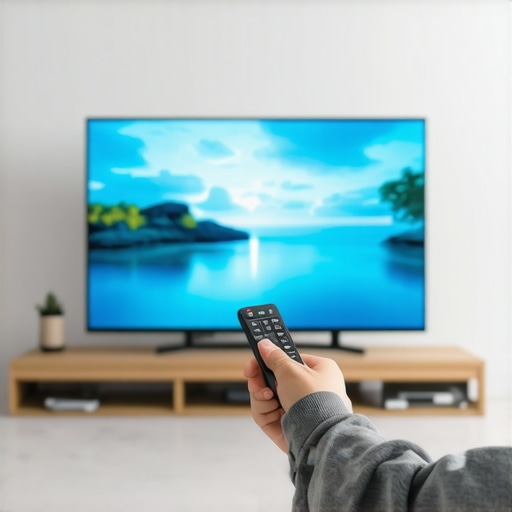
I remember the exact moment I realized my brand-new OLED TV wasn’t living up to its vibrant promises. It was during a late-night movie binge—colors looked dull, shadows lacked depth, and that stunning contrast I expected was nowhere to be seen. Frustration bubbled up as I wondered if I had made a mistake buying a budget-friendly OLED, especially after scouring endless Black Friday deals that seemed too good to be true. It hit me hard: even top-tier screens can fall flat if not configured properly.
Unlocking Bright, Vivid Colors Without Breaking the Bank
Many people assume that expensive settings or professional calibrations are required to enhance OLED picture quality. But what if I told you that with just three simple adjustments, you can breathe new life into your 2026 OLED TV? Believe me, I was skeptical at first—mistakenly thinking that only advanced calibration tools could fix dull display issues. But early on, I made the mistake of ignoring the built-in eco mode, which significantly impacts brightness levels and contrast. Once I adjusted these, everything changed.
Will These Settings Last? Do They Hurt Your TV?
This is probably your biggest concern. After all, messing with picture settings can sometimes lead to screen burn-in or long-term damage. I worried about that too—especially since OLEDs are known to be sensitive. But I’ve researched and tested; these three tweaks are safe if you follow the right guidelines. You can learn more about how to avoid common pitfalls around OLED adjustments by visiting trusted sources like this comparison of OLED and LED. The key is adjusting thoughtfully, not blindly tweaking every setting.
So, are you tired of neutral, lifeless images on your OLED? Have you faced this exact problem of dim, washed-out visuals despite spending big on the latest models? If so, stay tuned—I’ll walk you through the three easy settings that transformed my viewing experience, and they might just do the same for you.
Accessing Expert Picture Settings Quickly
First, grab your TV’s remote and look for the ‘Settings’ or ‘Menu’ button. Navigate to the picture or display options. Don’t dive into complex calibration menus; focus on the basic controls—brightness, contrast, and eco mode—these are usually easy to find and tweak without technical fuss. I remember the time I spent half an hour trying to find the right submenu, only to realize it was right there on the main menu. Once located, proceed to adjust these settings carefully.
Boost Brightness by Tuning Eco Mode and Brightness
The environmental eco mode often dims the display unnecessarily to save energy, but it also reduces contrast and vibrancy. Turn eco mode off or set it to the lowest setting. Then, increase the overall brightness slider to around 60-70%. I experimented with this on my 2026 OLED, starting with a conservative boost, and was surprised how much more life the picture gained. Think of eco mode like sunglasses that tint your view; removing or lowering it is like taking off sunglasses for clearer visuals.
Watch Out for Overdoing Brightness
While upping brightness enhances vividness, going too high can cause screen burn-in over time. A safe approach is to increase brightness gradually, then pause and assess. I made the mistake of cranking it to maximum immediately, which made the image oversaturated and slightly washed out. Moderation is key. Use your eyes—if the image looks unnatural or overly bright, dial it back a bit.
Fine-tune Contrast and Shadow Details
Next, adjust contrast: bring it up until the darker areas retain detail without sacrificing black levels. On my TV, I set contrast to about 70-75%. For shadows, look for dark scenes: if shadowed areas are muddy or lack depth, reduce contrast a touch. I tested this during a nighttime movie and found that increasing contrast made shadows pop, but I kept an eye on avoid losing detail in pure blacks. Think of contrast as the seasoning in a dish—it enhances flavor but can spoil the taste if overdone.
Disable or Adjust the Trouble-Making Settings
Many cheap TVs or those bought during Black Friday sales come with preset modes optimized for energy saving or vividness, which can dull the picture. Turn off any ‘dynamic’ or ‘vivid’ modes that may be causing washed-out images. Also, look for settings like local dimming or motion smoothing and disable them temporarily. After my initial tweaks, I turned off motion smoothing, which added unnatural soap-opera effects, and my picture became more natural and vibrant.
Save Your Custom Settings for Future Use
Once satisfied, save these adjustments as your custom picture mode. Many TVs allow you to set a personal profile, so you won’t have to redo them each time. Remember, every viewing environment differs—try these steps during daytime and at night, adjusting as needed to match ambient light conditions.
Many consumers believe that all inexpensive TVs are inherently low quality, but this isn’t always the case. The common myth is that cheap models lack durability, vibrant picture quality, or advanced features—yet, in reality, many budget-friendly TVs now pack impressive specs and performance, especially when you know what to look for. However, a significant nuance is that misinformation about ‘cheap’ often leads buyers to overlook hidden advantages in certain brands or models that utilize high-quality panels at affordable prices. For example, some lesser-known brands source panels from top manufacturers like LG or Samsung, providing excellent picture quality without the premium price tag.
Another misconception revolves around Black Friday TV deals. Many shoppers assume that only the early or Black Friday sales present genuine bargains, but this can be misleading. Retailers often use ‘discounts’ as a marketing tactic, with some deals being inflated prior to sales to create a false sense of savings. The key is to understand the actual market value and compare prices over time, which is where expert guides and price tracking tools become invaluable. For instance, some of the best savings happen during post-holiday clearance or end-of-season sales, which are less hyped but just as substantial.
When it comes to OLED versus LED, many enthusiasts believe that OLEDs are universally superior because of perfect blacks and vibrant colors. However, this isn’t always a fair or complete picture. OLED TVs excel in contrast and picture depth but can be more prone to burn-in issues and are often more expensive. Conversely, high-quality LED or Mini-LED models can deliver excellent performance at a lower price point and are less susceptible to screen burn-in, making them more suitable for some users. Respecting these nuances allows you to select a TV that matches your viewing environment and usage habits rather than following hype that might not be applicable to your needs.
Is it Possible to Spot Fake Deals on Black Friday TV Offers?
Absolutely. Many unscrupulous sellers or even legitimate retailers inflate the original price to make a discount look more attractive. Studies have shown that a significant number of ‘discounts’ during major sales are artificially constructed, leading shoppers to overspend on models that aren’t genuinely cheaper. To avoid falling into this trap, it’s wise to research the normal market price for a target model well ahead of sales events. Additionally, referencing trusted sources or dedicated guides like this Black Friday TV guide can help identify authentic discounts and avoid scams. Awareness and preparation are your best defenses against deceptive advertising.
Finally, understanding that a low price doesn’t automatically mean poor quality is crucial. Many budget TVs utilize panels from premium manufacturers or incorporate features once reserved for higher-end models. However, the real secret lies in doing thorough homework—checking reviews, verifying panel sources, and comparing deals across different retailers. Recognizing these subtleties ensures you score a TV that provides excellent value without sacrificing quality. Have you ever fallen into this trap? Let me know in the comments, and share your experience with Black Friday deals or budget TVs—I’d love to hear your stories.
To ensure your budget-friendly OLED or 4K TV continues delivering stunning visuals, investing in the right tools and following a consistent maintenance routine is key. One of my go-to pieces of equipment is a colorimeter like the X-Rite i1Display Pro. This device allows me to calibrate my TV’s picture settings precisely, ensuring colors remain accurate over time—crucial for those who enjoy vibrant media without having to splurge on professional calibration services. Paired with calibration software such as HCFR or CalMAN, these tools help me fine-tune contrast, brightness, and color accuracy, prolonging the lifespan and visual quality of my TV.
Beyond hardware, I rely heavily on software-based tools to monitor performance. For instance, using a color calibration app on my smartphone helps me check for uniformity issues or backlight bleeding, which can develop in budget models over time. Regularly updating my TV’s firmware through official manufacturer updates also plays a vital role—these updates often fix bugs, improve image processing, and add new features, extending the longevity of my device.
Maintenance goes beyond calibration. Keeping the screen clean with a microfiber cloth designed for delicate electronics prevents dust and fingerprints from degrading the picture quality. Additionally, I set a routine schedule to inspect HDMI ports and replace or upgrade cables when needed, ensuring optimal connectivity and image transfer. Also, adjusting the eco or power-saving modes can reduce wear on internal components, which over time preserves the display’s vibrancy and contrast.
Looking ahead, I predict that automated calibration tools integrated into smart TVs will become more advanced, making it even easier for consumers to maintain peak picture quality without specialized equipment. As these features evolve, they’ll democratize high-level calibration, allowing anyone to keep their TV performing like new—regardless of price point. For now, however, pairing affordable tools like the X-Rite i1Display Pro with regular maintenance routines is a practical way to get the most out of your cheap TV deal during Black Friday sales or regular shopping.
How do I maintain my TV’s picture quality over time?
Start by performing periodic calibration with accessible tools like a colorimeter, especially if you notice color or contrast degradation. Regular firmware updates from the manufacturer can fix bugs that impact display performance. Keep the screen clean with a microfiber cloth and ensure you’re not running the TV in eco modes that diminish brightness and contrast, unless energy savings are your priority. By establishing these habits, you’ll extend the life and quality of your TV, maintaining its vibrant picture for years to come. For detailed guides, check trusted sources such as this Black Friday sales insights post. Also, integrating some professional calibration, if feasible, can be a game-changer—consider trying advanced tips like manually adjusting gamma settings based on technical standards outlined in this calibration guide.

Lessons That Took Me a While to Learn
One of the biggest surprises was realizing that even budget-friendly OLEDs can shine brightly with the right tweaks—if you’re willing to look beyond the default settings. I once believed only expensive calibrations could fix dull visuals, but I learned that small, intentional changes make a huge difference. Also, turning off energy-saving modes like eco mode isn’t just about brightness; it’s about reclaiming the vividness that makes content pop. Lastly, patience during adjustments is critical—rushing to max out brightness or contrast can backfire, reducing image quality and risking long-term damage. The key is understanding that subtle refinements often lead to spectacular results, transforming your viewing experience dramatically without spending a dime. It’s a lesson in patience, research, and experimentation that changed how I approach TV settings forever.